%20(1).png)
Common Live Streaming Mistakes: Myth-Busting Your Way to a Flawless Broadcast

A single "She'll be right" attitude toward your internet connection is the fastest way to turn a high-stakes national broadcast into a digital disaster. You've likely spent months planning your event, only to feel a knot in your stomach at the thought of a technical glitch occurring in front of a live audience. It's a common fear, especially when the lines between hardware requirements and budget constraints feel blurry. Most professionals understand that the stakes are incredibly high, yet many still fall into the trap of common live streaming mistakes that tank engagement and ruin the viewer experience.
We're here to clear the confusion and provide the peace of mind you need to execute a flawless production. You'll discover the critical technical and strategic blunders that derail professional broadcasts, along with the proven methods to optimise your setup for a seamless digital experience. We're breaking down everything from essential redundancy protocols to the sub-second latency standards that 2026 audiences expect. By the end of this guide, you'll have a clear roadmap to transform your broadcast from a risky gamble into a high-impact, professional-grade event that keeps remote attendees glued to their screens.
Table of Contents
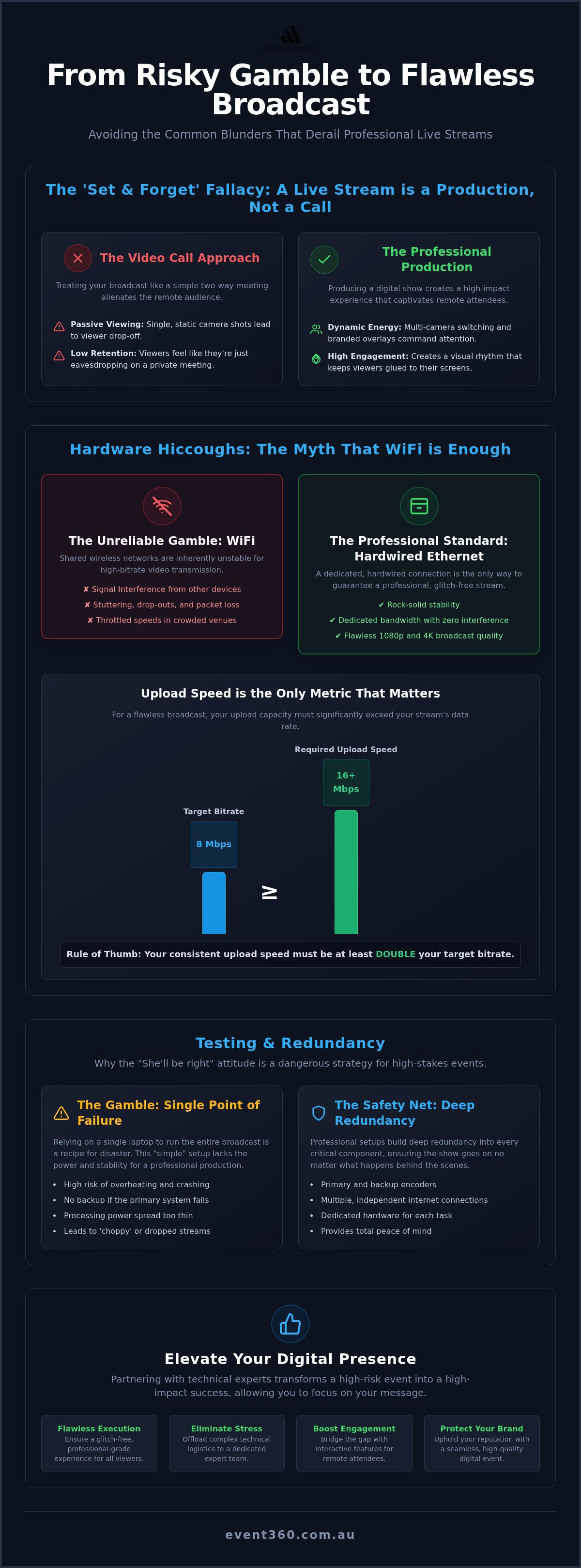
The 'Set and Forget' Fallacy: Why Live Streaming is Not a Zoom Call
Treating a high-stakes professional broadcast like a standard video call is a recipe for digital silence. Many organisers assume that because they can manage a Zoom meeting, they can lead a national stream. This is the 'Set and Forget' fallacy. A video call is a utility for conversation; a live stream is a production designed for impact. When you treat your broadcast as a two-way meeting, you lose the narrative control required to keep a remote audience focused. Retention rates plummet when viewers feel like they're merely eavesdropping on a room they aren't actually in.
One of the most common live streaming mistakes is confusing transmission with production. Transmission is simply the technical plumbing required to get a signal from your venue to a platform like YouTube or a custom event portal. Production is the art of making that signal worth watching. A great in-person event doesn't automatically translate to a digital success. You must shift your mindset from 'hosting' a physical room to 'producing' a digital show. This means thinking about camera angles, pacing, and how a viewer on a 13-inch laptop screen experiences your keynote speaker.
Production Value vs. Basic Connectivity
Static shots are the enemy of engagement. If your remote viewers stare at a single wide shot of a stage for forty minutes, they'll inevitably check their emails. Multi-camera switching is essential to create a visual rhythm that mimics professional television. By cutting between close-ups of the speaker, wide shots of the stage, and integrated slide decks, you maintain a dynamic energy that commands attention. High-energy creative content and branded overlays further professionalise the stream, ensuring your corporate identity remains front and centre. This level of quality requires a dedicated 'bump-in' phase where technical teams rig cameras, test vision switchers, and synchronise audio feeds long before the first guest arrives.
The Myth of the 'Simple' Setup
Relying on a single laptop to run your entire broadcast is a dangerous gamble and remains a frequent entry on the list of common live streaming mistakes. A standard laptop lacks the processing power and thermal management to handle encoding, vision switching, and platform monitoring simultaneously for hours on end. Professional-grade broadcasts require a dedicated master control area. This hub allows technical labour to manage encoders and switchers independently of the presentation hardware. Truly understanding event production as the foundation of your stream provides the stability needed for a glitch-free experience. It transforms a risky 'simple' setup into a robust, redundant system that protects your brand's reputation on the global stage.
Hardware Hiccoughs: Busting the Myth That WiFi is Enough
Relying on a venue's shared wireless network is one of the most perilous common live streaming mistakes you can make. While WiFi is convenient for checking emails, it's inherently unstable for high-bitrate video transmission. Professional broadcasters always insist on a hardwired Ethernet connection because it eliminates the risk of signal interference and packet loss. In a crowded ballroom, hundreds of smartphones constantly compete for the same wireless frequencies, which can cause your stream to stutter or drop out entirely at the most critical moment.
Stability is only half the battle; you also need to understand the difference between upload and download speeds. Most consumer internet plans prioritise download capacity, but for a flawless 1080p or 4K broadcast, your upload speed is the only metric that matters. To maintain a professional visual standard, you should aim for a consistent upload speed that is at least double your target bitrate. Dedicated hardware encoders are essential here. Unlike a standard laptop, these units are purpose-built to compress and push video data without overheating or crashing, preventing the 'choppy' playback that makes a broadcast look amateur.
What is Dedicated Bandwidth?
Dedicated bandwidth is a reserved internet lane strictly partitioned for your stream's data to ensure zero interference from other users. When guests arrive at your event and their devices automatically connect to the venue WiFi, the available speed for everyone else is instantly throttled. By securing a dedicated V-LAN or a point-to-point connection, you bypass this congestion entirely. For a high-definition national broadcast, we typically calculate a required bitrate of 6,000 to 9,000 Kbps, meaning you need a rock-solid, uncontested 20 Mbps upload pipe to guarantee a smooth experience for every viewer.
Audio: The Often Forgotten Element
There's a well-known industry truth: audiences will tolerate a slightly fuzzy picture, but they'll close the tab immediately if the sound is poor. Relying on a camera's built-in microphone or a single laptop mic is a major blunder that results in hollow, echoey audio. To achieve professional-grade clarity, you must take a direct 'clean' feed from the audio visual production desk. This ensures that every word from your keynote speakers is captured clearly, without the distracting background noise of the room. Securing a technically sound hardware foundation is the first step toward removing the friction that often plagues complex live productions.
The Engagement Gap: Avoiding the 'Broadcast Only' Blunder
Pointing a camera at a stage and hitting 'go' is not a strategy; it's a technical baseline. One of the most pervasive common live streaming mistakes in the corporate world is treating the digital audience as a group of passive observers rather than active participants. In a hybrid setting, your remote attendees are competing with the distractions of their home offices, Slack notifications, and the lure of the kitchen. If you don't intentionally design an experience for them, they will disconnect within minutes. Bridging this gap requires a mental shift from 'broadcasting to' an audience to 'engaging with' a community.
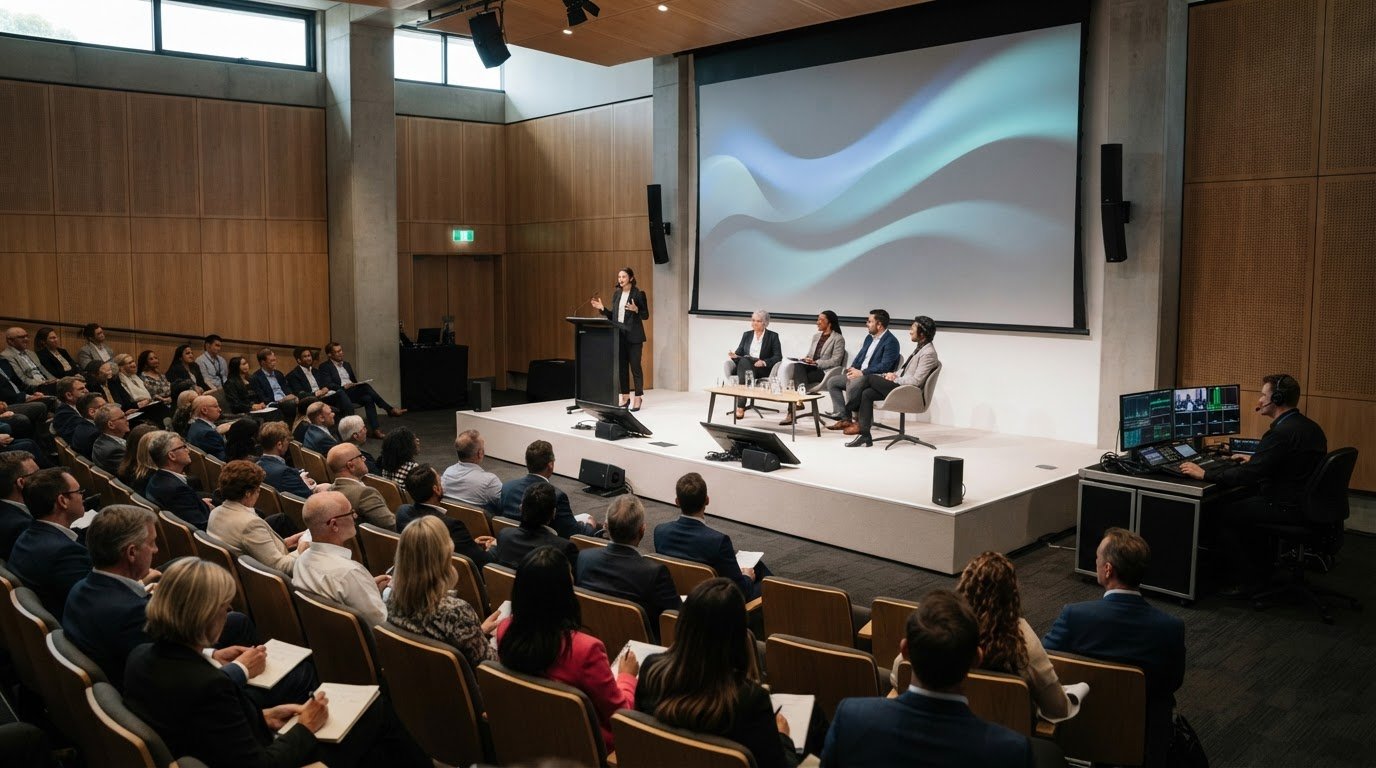
Ignoring the digital audience during high-stakes Q&A sessions is a critical error. When a speaker takes a question from the front row without repeating it or acknowledging the online chat, the remote viewer feels like an outsider. For large-scale MICE events, a dedicated Digital Host or moderator is essential. This person acts as the voice of the online crowd, relaying their questions to the stage and ensuring the digital experience feels as valued as the in-person one. This level of partnership removes friction and builds a cohesive event atmosphere across all platforms.
Interactive Tools for Hybrid Success
To keep retention scores high, you must provide digital touchpoints that demand action. Real-time polls and live Q&A platforms allow remote attendees to influence the conversation instantly. These hybrid event solutions ensure that your audience remains focused and invested. For maximum visual impact, we often use LED walls on stage to display the faces of remote participants or scrolling social feeds. This creates a powerful visual feedback loop, proving to the digital audience that they are truly part of the room.
Visual Storytelling and Graphics
A professional broadcast needs to look like a TV production to compete for attention. Simple text overlays, known as 'lower thirds', provide vital context by identifying speakers and their roles. This avoids the common live streaming mistakes of leaving viewers guessing who is talking. Using picture-in-picture (PiP) layouts, where the presenter and their slides are visible simultaneously, is far more effective than cutting away from the speaker entirely. This multi-layered approach creates a polished, high-energy experience that mirrors the quality of a national news broadcast, keeping your viewers glued to the screen from the opening keynote to the final wrap-up.
Testing and Redundancy: Why 'She'll Be Right' is a Dangerous Strategy
In Australia, the "She'll be right" attitude is part of our cultural fabric, but in the high-stakes world of live production, it is a recipe for disaster. One of the most common live streaming mistakes is assuming that because your gear worked during a quick Tuesday morning test, it will perform perfectly during a Thursday afternoon broadcast. Professional producers never rely on a single point of failure. They build "Plan B" and "Plan C" into the very architecture of the event. If your primary NBN line drops out, you need a bonded 4G or 5G failover that takes over in milliseconds without the viewer ever noticing a flicker.
Stress testing is another non-negotiable phase of a successful broadcast. You must test your stream at the exact time of day your event is scheduled to go live. This accounts for local network congestion or venue bandwidth throttling that might only occur during peak business hours. It's also vital to distinguish between an event rehearsal and a technical rehearsal. While your speakers need to practice their timing, your technical team needs a dedicated window to push the hardware to its limits, ensuring every encoder and switcher is stable under load. You can secure this level of certainty by partnering with Event 360 Pty Ltd's technical expertise to manage these complex redundancies on your behalf.
The Redundancy Checklist
A robust broadcast requires a multi-layered safety net to protect your brand's reputation. We implement a rigorous checklist to ensure 100% uptime, regardless of local technical hitches. This includes:
Dual Encoders: We stream to primary and secondary servers simultaneously so that if one ingest point fails, the backup takes over instantly.
Uninterruptible Power Supplies (UPS): Backup power solutions prevent a local blackout or a tripped circuit from killing your broadcast mid-sentence.
Master Control Mindset: A dedicated technician monitors the health of the stream in real-time, watching bitrates and frame drops like a hawk to catch issues before they become visible to the audience.
The Importance of the 'Pre-Show' Loop
Starting your stream exactly at the scheduled go-live time is a high-stress gamble. We recommend launching a pre-show loop with a countdown timer and branded music at least 15 minutes early. This simple step avoids "opening minute" panic for the organiser and gives the technical team a final window to troubleshoot audio and video sync before the CEO walks on stage. Psychologically, it reassures your digital audience that they are in the right place and that the show is about to begin. By removing this initial friction, you set a professional tone that carries through the entire production, effectively eliminating the most common live streaming mistakes associated with a cold start.
Elevating Your Digital Presence: The Case for Professional Support
Stepping away from the technical console allows you to focus on what truly matters: your message and your audience. While online forums often suggest that free software and a basic webcam are enough, national brands recognise that the cost of a digital failure far outweighs the investment in expert support. Entrusting your broadcast to professional live streaming services eliminates the stress of managing encoders, bitrates, and synchronisation. This partnership transforms a potential source of anxiety into a polished, high-performance asset for your organisation. By removing the technical friction, you ensure your event projects the authority and precision your brand deserves.
The return on investment for a flawless broadcast extends beyond the live hour. A high-quality stream provides reputational safety, ensuring your keynote speakers look and sound their best for a global audience. It also offers scalability. What begins as a single-camera webinar can easily evolve into a multi-city hybrid conference with the right technical foundation. Professional teams provide the specialised labour required to manage complex signal routing and platform integration, effectively bypassing the common live streaming mistakes that plague DIY attempts. When the stakes involve a national audience and high-level stakeholders, outsourcing the technical heavy lifting is the only way to guarantee a risk-free outcome.
The Event 360 Advantage
We approach every production with a bold, "can-do" attitude that turns complex logistics into seamless experiences. Our expertise in MICE events means we understand the unique pressures of the corporate environment. We create a powerful synergy between technical mastery and creative vision, often integrating high-end led wall hire with our streaming solutions to provide stunning on-stage backdrops for remote viewers. This holistic approach ensures that your digital presence is as vibrant and impactful as your physical one. With our onsite support and state-of-the-art equipment, you gain the peace of mind that comes from knowing every detail is being meticulously managed by a dedicated ally.
Your Next Steps for a Flawless Stream
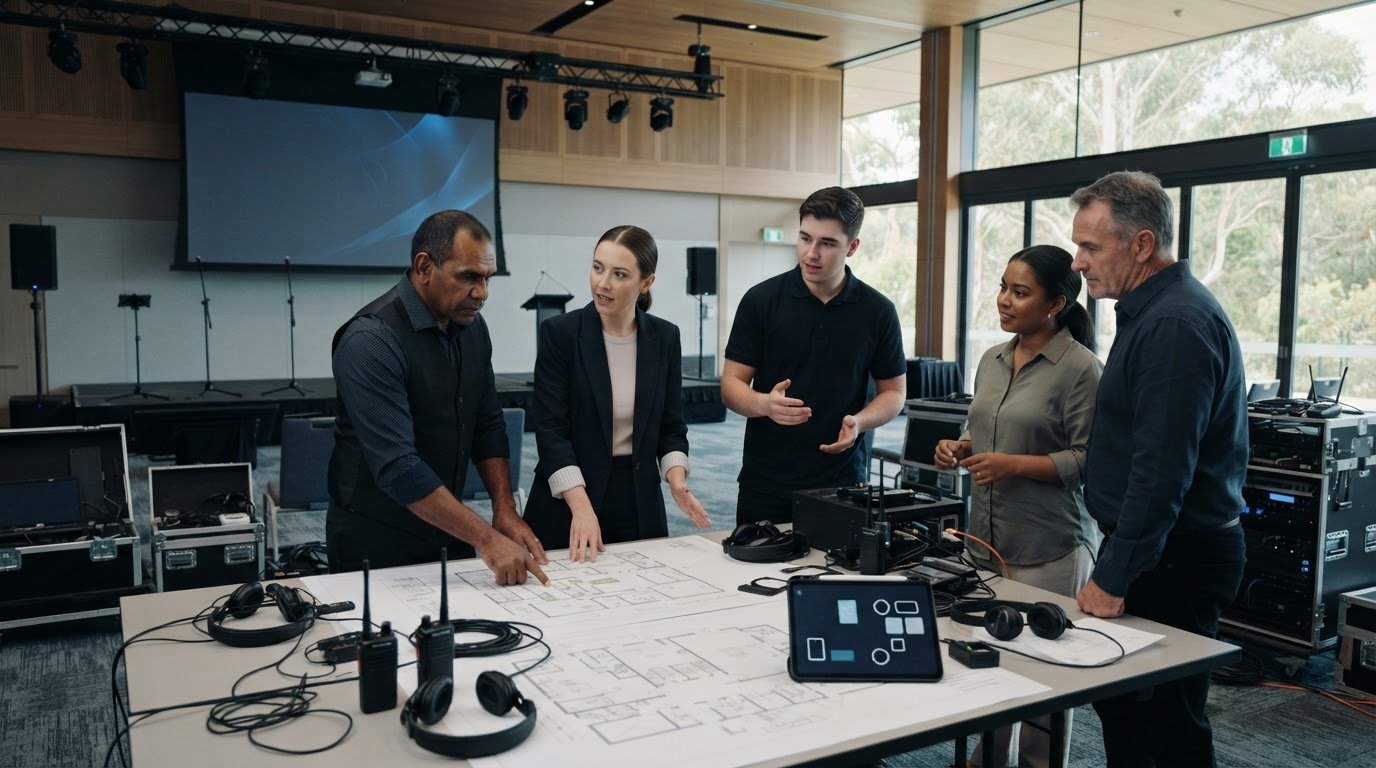
The most successful broadcasts are the result of early technical planning. We recommend engaging in a professional AV consultation during the initial stages of your event design. This allows us to identify potential bandwidth issues at the venue or hardware limitations before they become critical problems. By addressing these factors early, you proactively eliminate common live streaming mistakes and set the stage for a world-class production. If you are ready to elevate your next corporate event and secure a glitch-free digital experience, now is the time to partner with experts who are as passionate about your results as you are. Contact us today to begin mapping out your seamless broadcast strategy.
Secure Your Broadcast Legacy
Success in the digital arena requires moving beyond the "She'll be right" mindset and embracing the complexity of modern production. You now understand that a flawless broadcast is built on a foundation of hardwired reliability, interactive engagement, and rigorous redundancy. Avoiding common live streaming mistakes isn't just about technical safety; it's about protecting your brand’s reputation and ensuring your message resonates with every attendee, whether they're in the room or watching from across the country. By prioritising production value over basic connectivity, you transform a standard video feed into a high-energy corporate asset.
We're here to manage the intricate logistics so you can focus on your presentation with total peace of mind. With our expert MICE event technical support and redundant fail-safe broadcast systems, we provide national Australian coverage that guarantees a risk-free experience. Our team acts as your dedicated ally, removing technical friction and delivering professional-grade visual and audio quality every time. Secure your digital stage with Event 360’s professional live streaming services today. We look forward to partnering with you to create an unforgettable, glitch-free event that sets a new standard for your industry.
Frequently Asked Questions
What is the most common live streaming mistake for corporate events?
The most significant error is treating a high-stakes broadcast like a standard video call. Organisers often forget that a digital audience requires narrative pacing and visual variety to stay engaged. Failing to provide multi-camera angles or professional audio feeds leads to rapid viewer drop-off. This oversight is one of the most common live streaming mistakes because it prioritises basic connectivity over the actual production value needed for a national corporate audience.
How much internet upload speed do I actually need for a 1080p live stream?
You need a consistent upload speed of at least 10 to 20 Mbps for a stable 1080p broadcast. While a standard 1080p stream typically uses a bitrate between 4,000 and 6,000 Kbps, professional standards dictate having double that capacity as a safety buffer. This overhead protects your signal against minor network fluctuations. Always ensure this bandwidth is dedicated to the stream rather than shared with venue guests or office staff.
Can I use WiFi for a professional live stream, or do I need Ethernet?
Ethernet is mandatory for any professional event where a signal failure is not an option. WiFi is inherently susceptible to interference and packet loss, especially in crowded Australian venues where hundreds of smartphones compete for the same wireless frequency. A hardwired Cat6 cable provides the stable, uncontested data path required for high-bitrate transmission. Relying on wireless signals is a high-risk strategy that often results in glitchy or dropped broadcasts.
Why does my live stream keep lagging or buffering for viewers?
Lagging usually occurs when your upload bandwidth cannot keep up with the stream's bitrate or your hardware is overheating. If the encoder struggles to process the video data, it drops frames, causing a choppy experience for the viewer. This is frequently linked to common live streaming mistakes like using a standard office laptop for encoding. Ensuring you have dedicated bandwidth and purpose-built hardware encoders will typically resolve these buffering issues immediately.
What is the difference between an encoder and a switcher in live streaming?
A switcher allows you to select and cut between different video sources, such as multiple cameras and presentation slides, in real-time. The encoder is the unit that takes that final produced master signal, compresses it into a digital format, and transmits it to the internet. While some devices combine these functions, professional MICE setups usually separate them to ensure maximum processing power and system stability during the broadcast.
How can I make my hybrid event more engaging for remote attendees?
Bridge the gap by integrating real-time polls, live Q&A platforms, and a dedicated digital moderator. Remote attendees feel more connected when they can influence the on-stage conversation or see their questions addressed by the keynote speaker. Using LED walls to display remote audience faces or comments also creates a powerful visual feedback loop. This transforms the experience from a passive viewing session into an active, high-energy partnership between the venue and the home office.
Is it worth hiring a professional AV company for a simple live stream?
Partnering with a professional team is essential for any event where your brand's reputation is on the line. Beyond providing high-end gear, experts manage the complex technical labour, including signal redundancy, audio levelling, and platform troubleshooting. This removes the friction of logistics and provides the can-do reliability needed for a glitch-free broadcast. It's an investment in peace of mind that ensures your message is delivered without technical distractions.
What should I do if my internet cuts out during a live broadcast?
You should immediately switch to a pre-configured secondary internet source, such as a bonded 4G or 5G failover. Professional setups use hardware that manages this transition automatically, ensuring the stream stays live even if the primary NBN line fails. Having a pre-recorded loop or a technical difficulties slide ready to go also helps maintain a professional appearance. This level of redundancy is the only way to guarantee 100% uptime for a national audience.
Comments